Developer tool
Earnback
What your players cost, whether they play, and how much they have earned back. A local ads dashboard for indie studios.
- #ads
- #analytics
- #indie
- #open-source
- #local-first
- Runs on
- Node.js 22.13+
- Reads
- Ad platforms, Firebase, AdMob
- Your data
- Stays on your machine
- License
- MIT
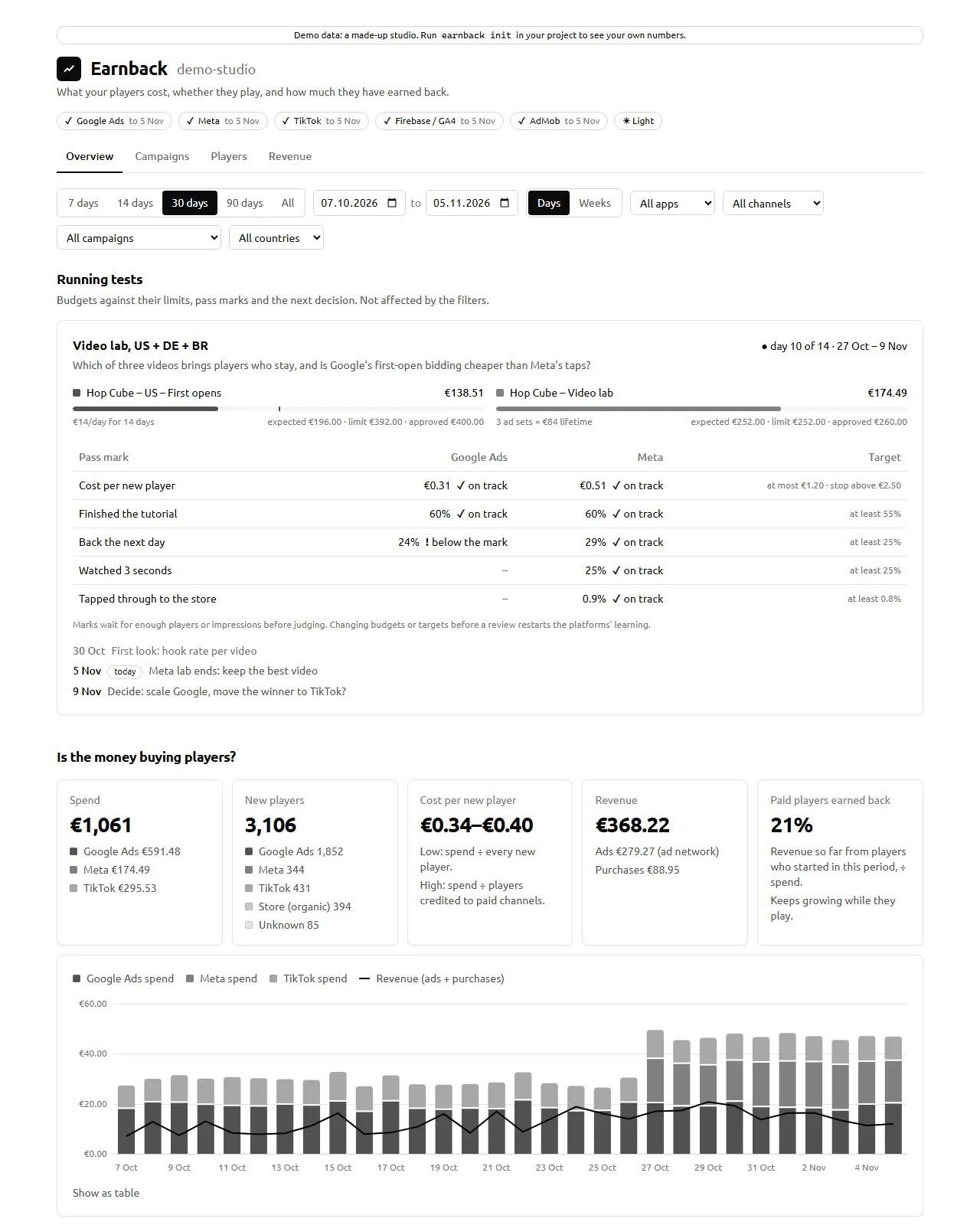
Earnback is a dashboard for indie game and app studios that buy ads. It puts your ad spend, your players and your revenue side by side and answers the questions that decide the next euro: what did a player cost, do they play and come back, and how much have they earned back? It runs on your own machine, reads your accounts with your own access and never changes a campaign.
How it works
- One command.
earnbackreads your ad platforms, your analytics and your ad revenue, keeps them in a small database in your project folder and opens the report. - One file. The report is a single HTML page that works offline and makes no network requests. Filter by period, app, channel, campaign and country.
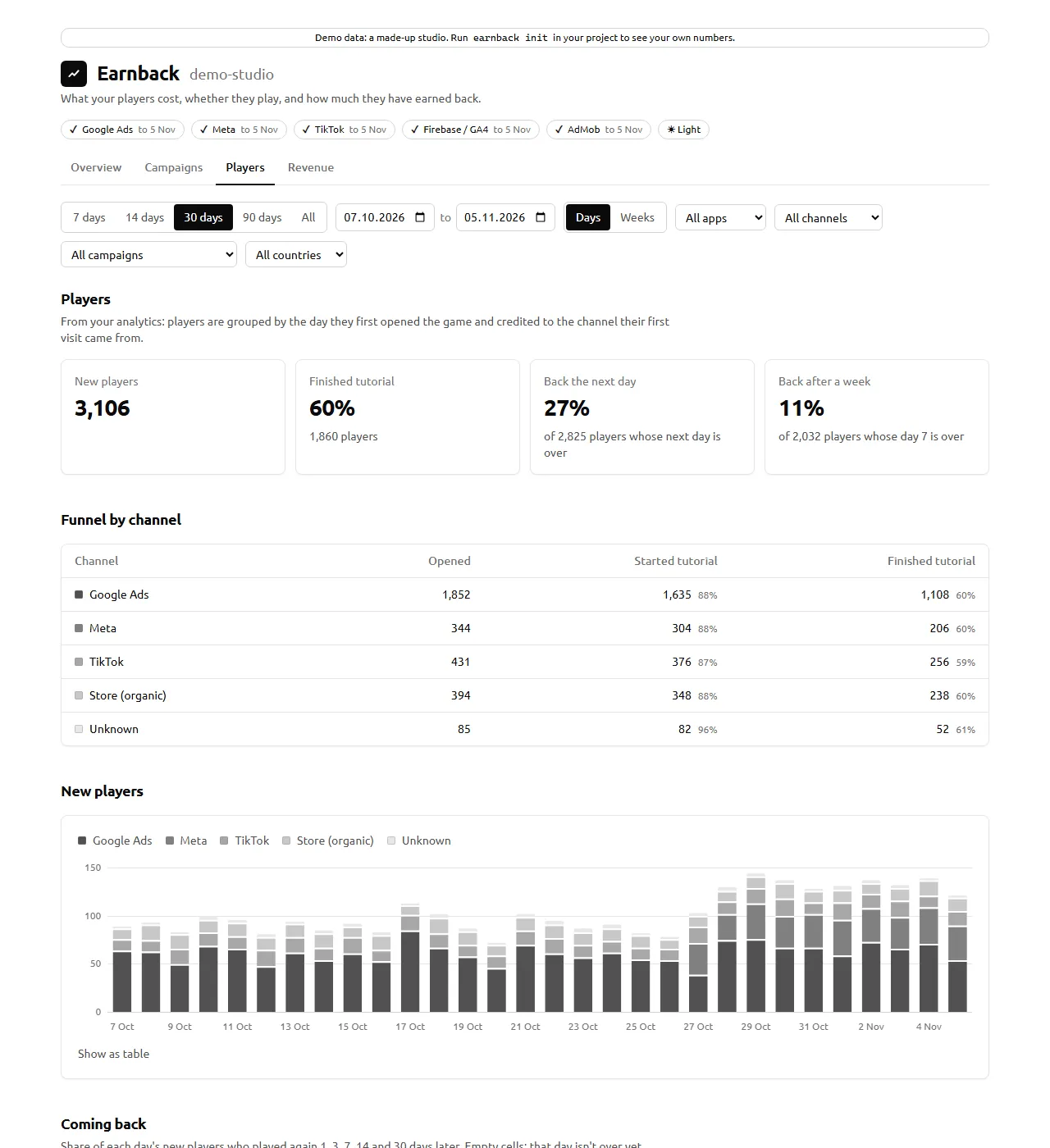
- Players from your analytics. Every player is counted once, from Firebase / Google Analytics, and credited to the channel they came from. The ad platforms’ own install counts never mix in.
- Tests with a plan. Describe a test: its budget, its hard limit, the marks it must hit and the days you review it. Earnback tracks it and tells you when to stop.
Features
- Cost per player What a new player cost per channel, campaign and country, as an honest range rather than a false precise number.
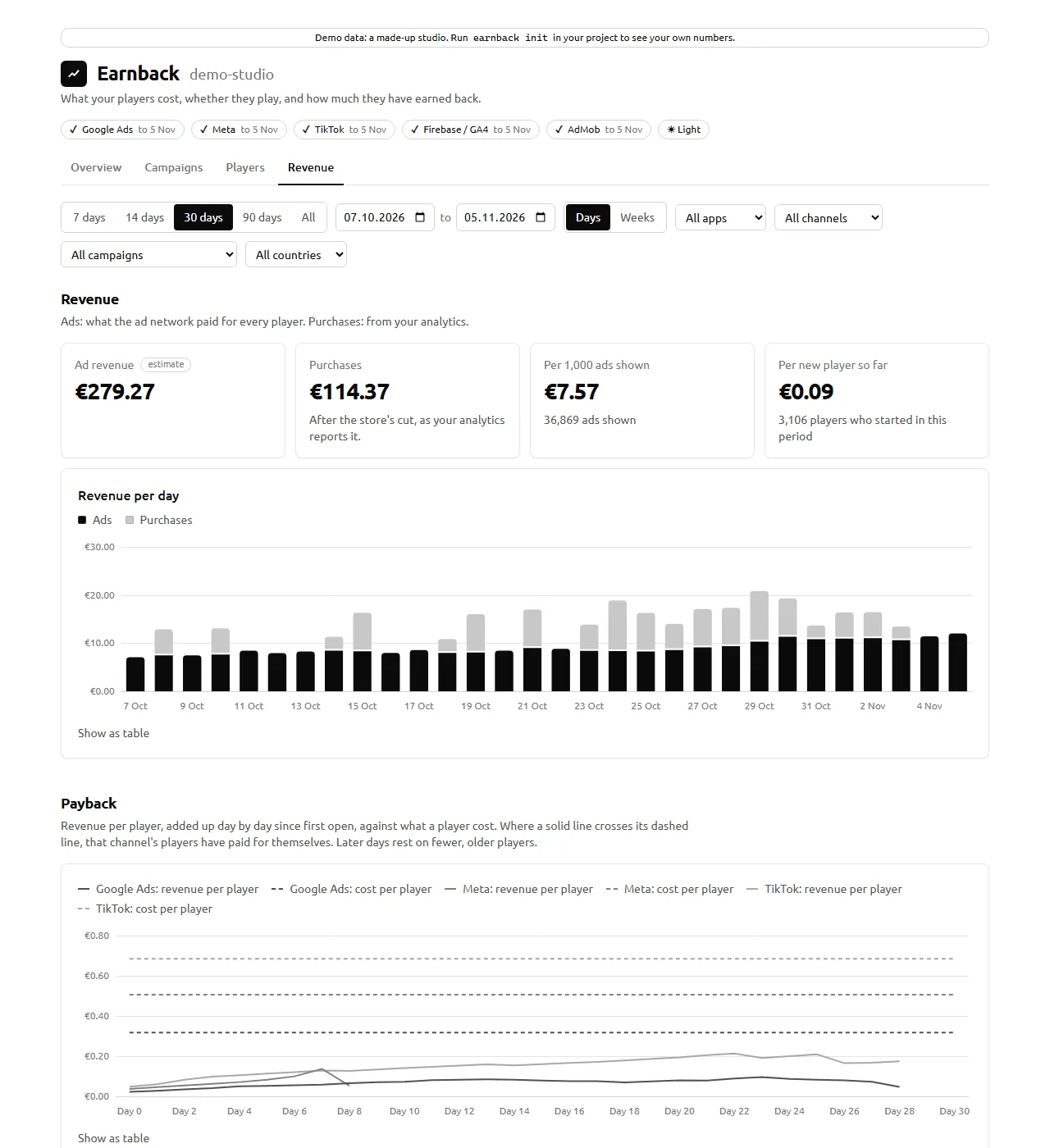
- Payback curves Ad and purchase revenue per player, day by day since their first open, against what they cost.
- Which video works Hook rate, hold rate and taps per creative, and Google’s asset ratings.
- Funnel and retention How many players open the game, finish the tutorial and come back the next day and the next week.
- Daily digest A short morning message on Telegram, Slack, Discord or ntfy, loud only when something is new or got worse.
- Several games One page per game and a portfolio page for the whole studio.
Honest numbers
Ad platforms each count installs their own way, and analytics misses players who decline consent. Earnback doesn’t hide that. A number that can’t be computed for the filters you picked shows a dash and the reason, cost per player is a range from every new player to the players a paid channel brought, and every source lists what its numbers can’t show. Spend before your analytics had any players is called out instead of counted.
Free and open source
Earnback is MIT-licensed and on GitHub. There is no account and no server: your data stays in your project folder, your keys in your own config folder. You connect each platform with an API app of your own, so nothing runs through anyone else’s keys. The only thing that leaves your machine is the optional daily digest, to the chat you choose.
Documentation
Setup for every source, configuration, the daily digest and what every number means are in the Earnback documentation. Getting started takes you from install to your first report.
More from the catalog
View all- No. 01
Vantage
Ready-made gameplay systems for Unity 6.
- #unity
- #game-development
Unity packagev0.1.02026 - No. 02
SignArgs for Unity
Show a PDF, take a signature and finalize the signed document, all on the device.
- #unity
- #signatures
- #offline
Unity packagev0.1.02026 - No. 03
Gravimax
A one-tap arcade runner for Android and iPhone. Tap to flip gravity and dodge everything.
- #game
- #android
- #ios
- #arcade
- #one-tap
Mobile game2026Free